

ChatGPT Invoice Generator
ChatGPT invoice generator by FieldHive: describe the job in a sentence and an editable invoice opens in the chat, with the totals and tax worked out by the tool, not the AI. Add your logo, pick a layout and download the PDF.
 Invoice Generator by FieldHive Invoice for two days of labour at £350 a day and £180 of materials.→Invoice Generator by FieldHive Invoice template for my plumbing business.→Invoice Generator by FieldHive Invoice for 8 hours at £45 an hour plus £230 of parts.→


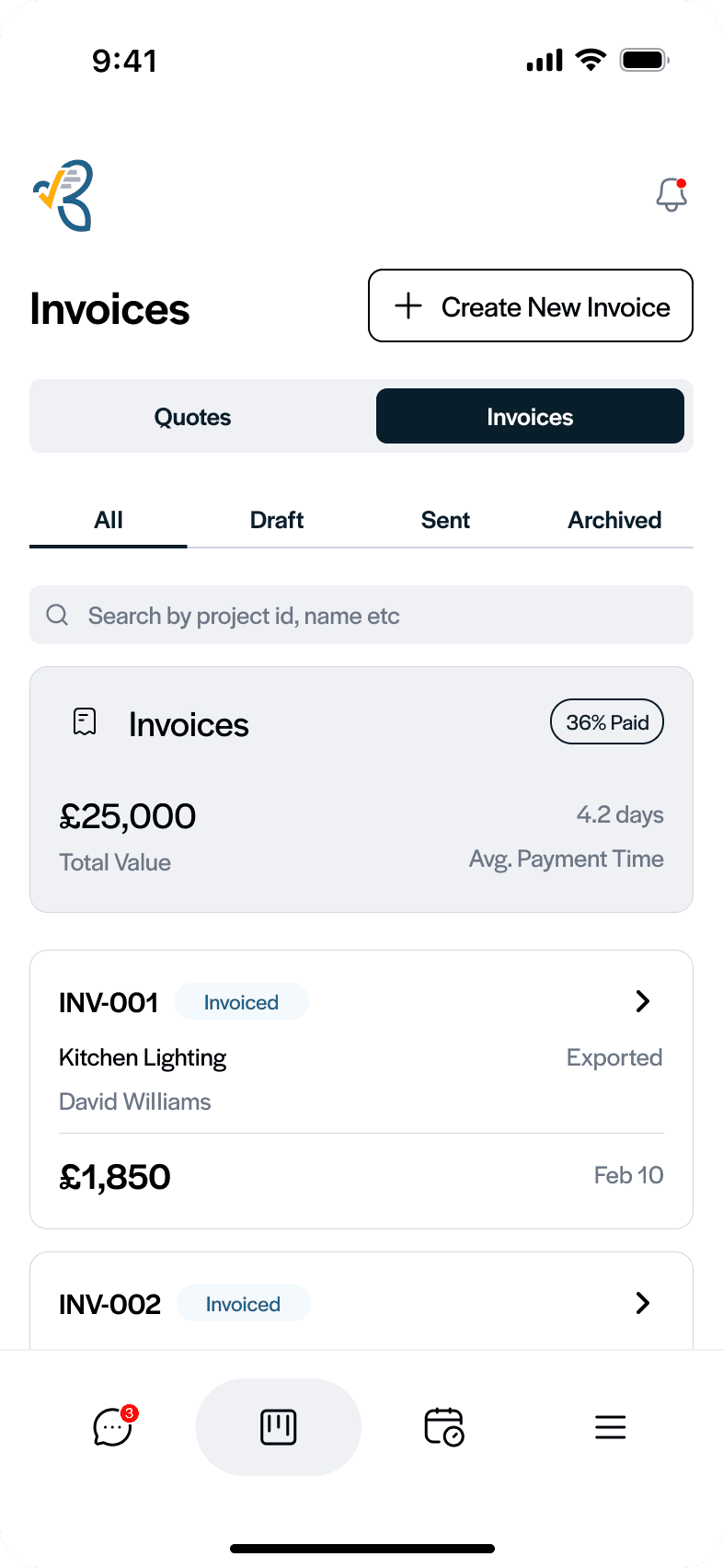
Doing this every week? Do it on your phone.
FieldHive keeps the quote, the job and the invoice together, so the next one starts from the job instead of a blank page — and your customer can pay online.
How to make an invoice in ChatGPT
Three steps, and you never leave the chat.
Open it in ChatGPT
Open Invoice Generator by FieldHive in ChatGPT and press Try in chat. There is nothing to install and no FieldHive account to make.
Describe the job
Type it the way you would say it: “two days labour at £350 a day and £180 of materials”. An editable invoice opens in the chat with the totals already worked out.
Check it and download
Change anything by asking (“the customer is Jane Smith”) or by typing on screen. Pick a layout, then download the invoice as a PDF.
Plain ChatGPT writes an invoice. This one adds it up.
Ask ChatGPT on its own for an invoice and you get text or a table to copy into something else. The sums are written by the AI, so a total can be wrong, and it may fill gaps with names, addresses or bank details that are not yours.
Invoice Generator by FieldHive does the sums in code, using each country's own rounding rules for tax, so the totals add up every time. The assistant only fills in details you give it, and the result is a proper invoice you can download, not text to tidy up.
An invoice template that fills itself in
Everything a trade invoice needs, set up from one sentence.
Sections with their own subtotals
Split a job by room or stage (kitchen, upstairs, second fix) and each section gets its own subtotal.
Your logo and colours
Upload your logo and the invoice picks up your brand colours. Nothing to design.
Three layouts
A full breakdown, a materials and labour summary, or a simple title and price. Switch between them before you download.
Edit by chat or on screen
Say “add 3 hours to the kitchen section” and the same invoice updates in place, or change any field yourself.
No account, and nothing kept for long
You do not sign up to FieldHive to use it. Invoices are kept only while you work on them and are deleted two hours after your last change. The PDF download link expires after 30 minutes.
It does not send invoices or emails, and it does not take payments. You download the PDF and send it yourself. Optionally, you can tick a box to share an invoice's prices with FieldHive pricing data, with names and contact details removed. It is unticked unless you tick it.
The same job, without ChatGPT
If you would rather fill in boxes than type a sentence, the website invoice generators do the same job in your browser, free and with no sign-up.
Turn it into a connected job workflow
FieldHive keeps the enquiry, quote, job, invoice and payment connected — so it's built from the accepted quote instead of retyped, and the numbers carry through. Your customer can accept the quote and pay the invoice online, and it all syncs to Xero or QuickBooks.
- Free plan, no card needed. Unlimited customers and invoices on the free plan.
- £14.99 a month for the whole business when you need more, such as unlimited quotes.
- Stop paying and you keep the free plan, with your customers, quotes and invoices.
- Syncs with Xero and QuickBooks, and customers pay by card through Stripe.
Start on the free plan, because it should earn its keep before you pay anything.




ChatGPT invoice generator questions
Quick answers to the questions people ask most.
Other free tools for your trade
More FieldHive document tools — and the calculators behind the figures.
Free Invoice Generator
A correct UK invoice in your browser, for sole traders and the self-employed. No ChatGPT needed.
Open the invoice generator →VAT Invoice Generator
Every element HMRC asks for on a VAT invoice, in your browser.
Open the VAT invoice generator →Quote & Estimate Builder
Build a quote or estimate with line items and a valid-until date.
Build a quote →Found it useful?
These tools are free, with no sign-up to use them. Three small ways to help them reach other trade businesses.
Leave a review
An honest Google review helps us improve these tools and helps other trade businesses find them.
Leave an honest Google reviewOptional. Please only review based on your genuine experience.Want more FieldHive tools in your Google results?
Google lets you choose the sites you want to see more of. Add FieldHive as a preferred source and our free trade tools show up more often when you search.
Add FieldHive as a preferred sourceOne click. You can change it any time in your Google settings.From one invoice to every job
The ChatGPT invoice generator makes one invoice at a time. FieldHive keeps the quote, the job, the invoice and the payment together on your phone, and your customer can pay online.
Free plan, no card needed · then £14.99 a month for the whole business. Start free, because it should earn its keep first.


